---
title: How to Add and Manage my Testimonials
description: Cohart's testimonial features allows sellers to showcase their testimonials on their profile and in their Link-in-Bio.
---
,\]
[Skip to content](https://support.cohart.com/artist-dashboard-testimonials#main-content)

Open main navigation
Close main navigation
- [cohart.com](https://cohart.com/)
[cohart.com](https://cohart.com/)
Questions? Cohart is here to help!
- There are no suggestions because the search field is empty.
1. [Support](https://support.cohart.com/?hsLang=en)
2. [For Sellers](https://support.cohart.com/for-sellers?hsLang=en)
3. [Personalize my Profile](https://support.cohart.com/for-sellers?hsLang=en#personalize-my-profile)
# How to Add and Manage my Testimonials
## Cohart's testimonial features allows sellers to showcase their testimonials on their profile and in their Link-in-Bio.
### What are testimonials?
We understand how important it is to maintain a strong connection with your collectors, as well as build trust and credibility with future buyers. As a seller, you can now add testimonials to your profile and Link-in-Bio directly from the Dashboard.
### How to add a testimonial
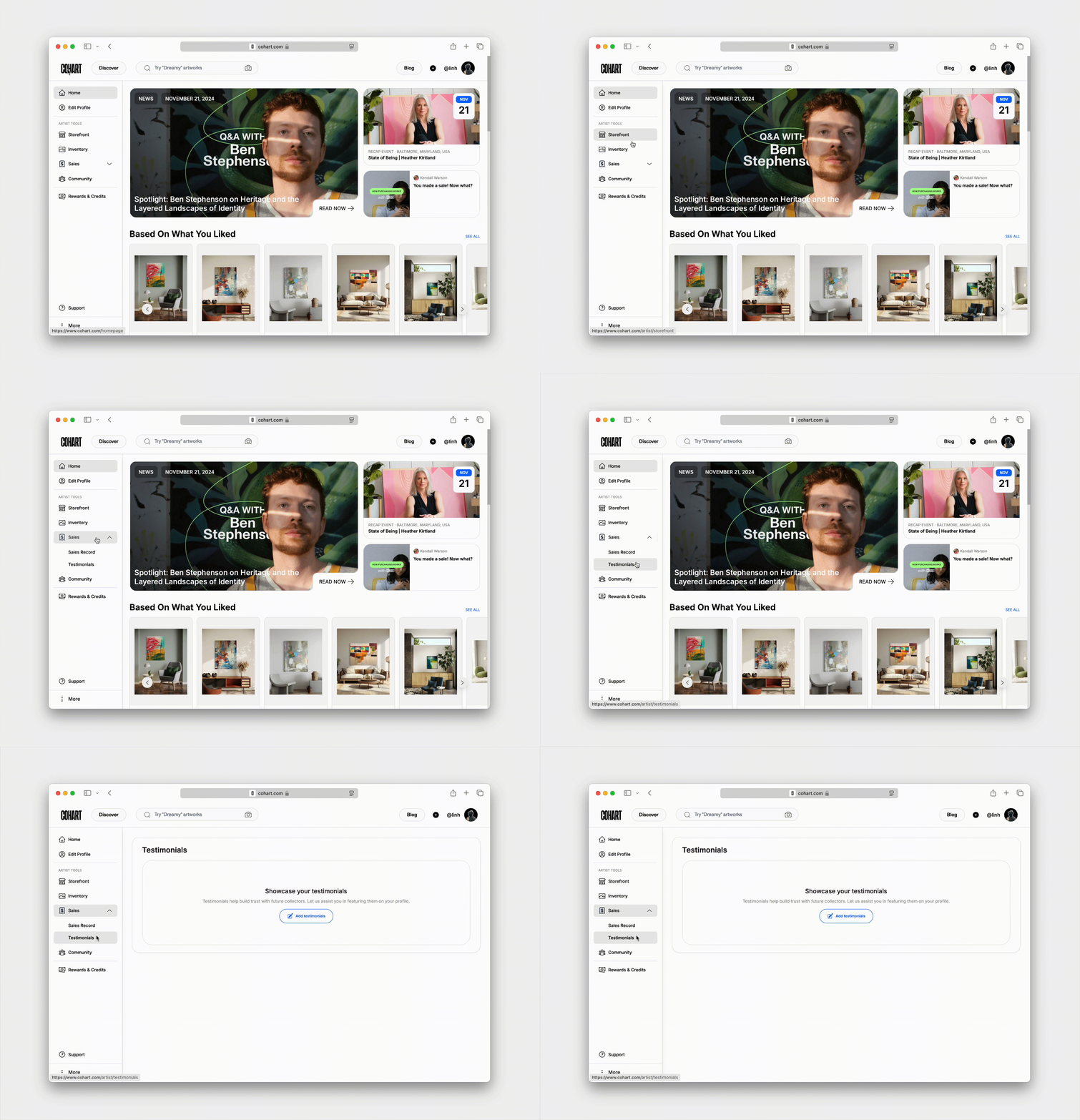
In the Sales tab in your sidebar, you’ll find [Testimonials](https://www.cohart.com/artist/testimonials). Click on `Add testimonials`.
In the popup modal that appears, you can add the collector’s information, date given, and the content of the testimonials.
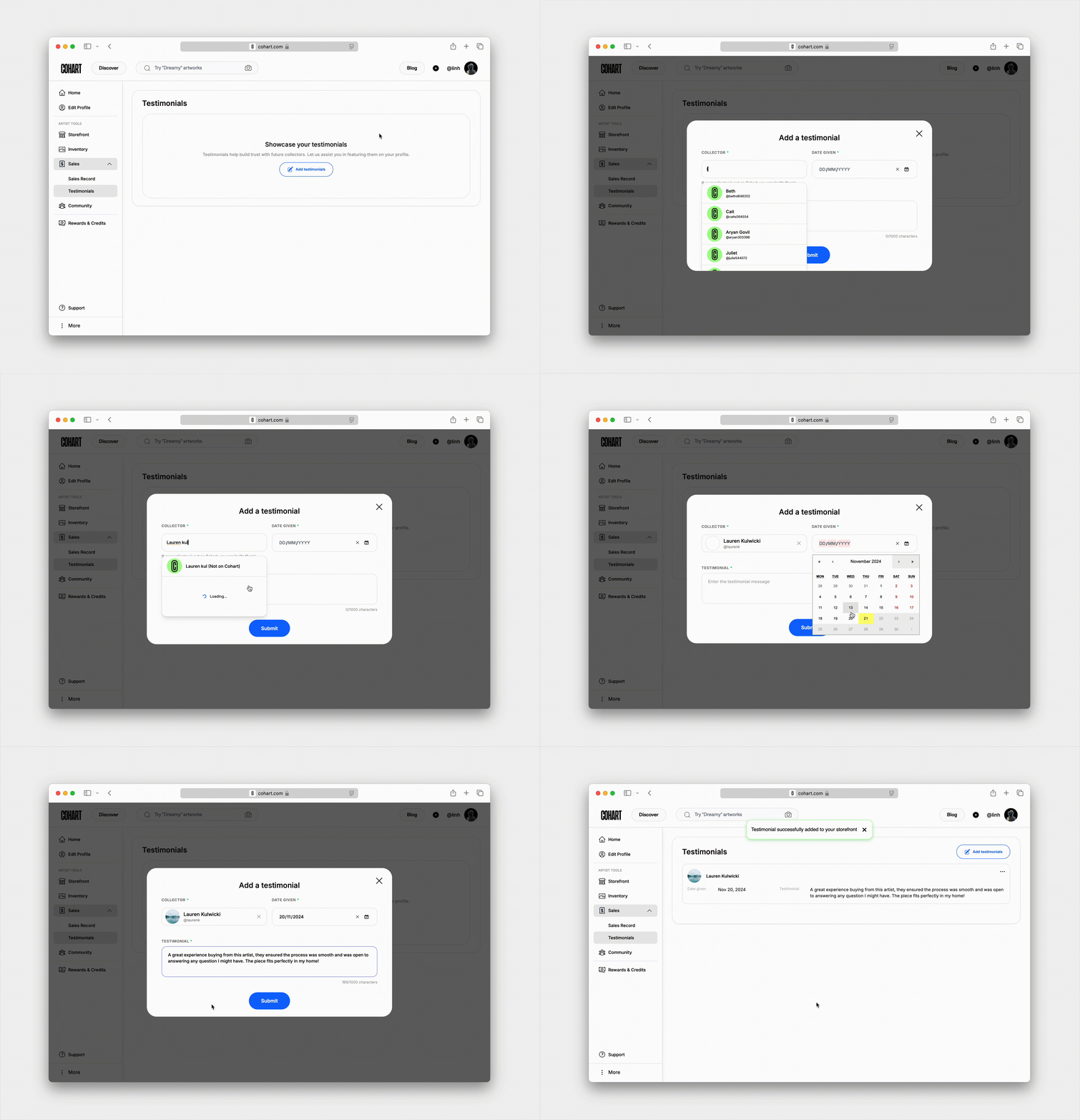
You can select a Cohart user as your collector or enter a name of someone not yet on Cohart. You can also invite them to join Cohart (learn more [here](https://support.cohart.com/invite-my-collectors?hsLang=en)!)

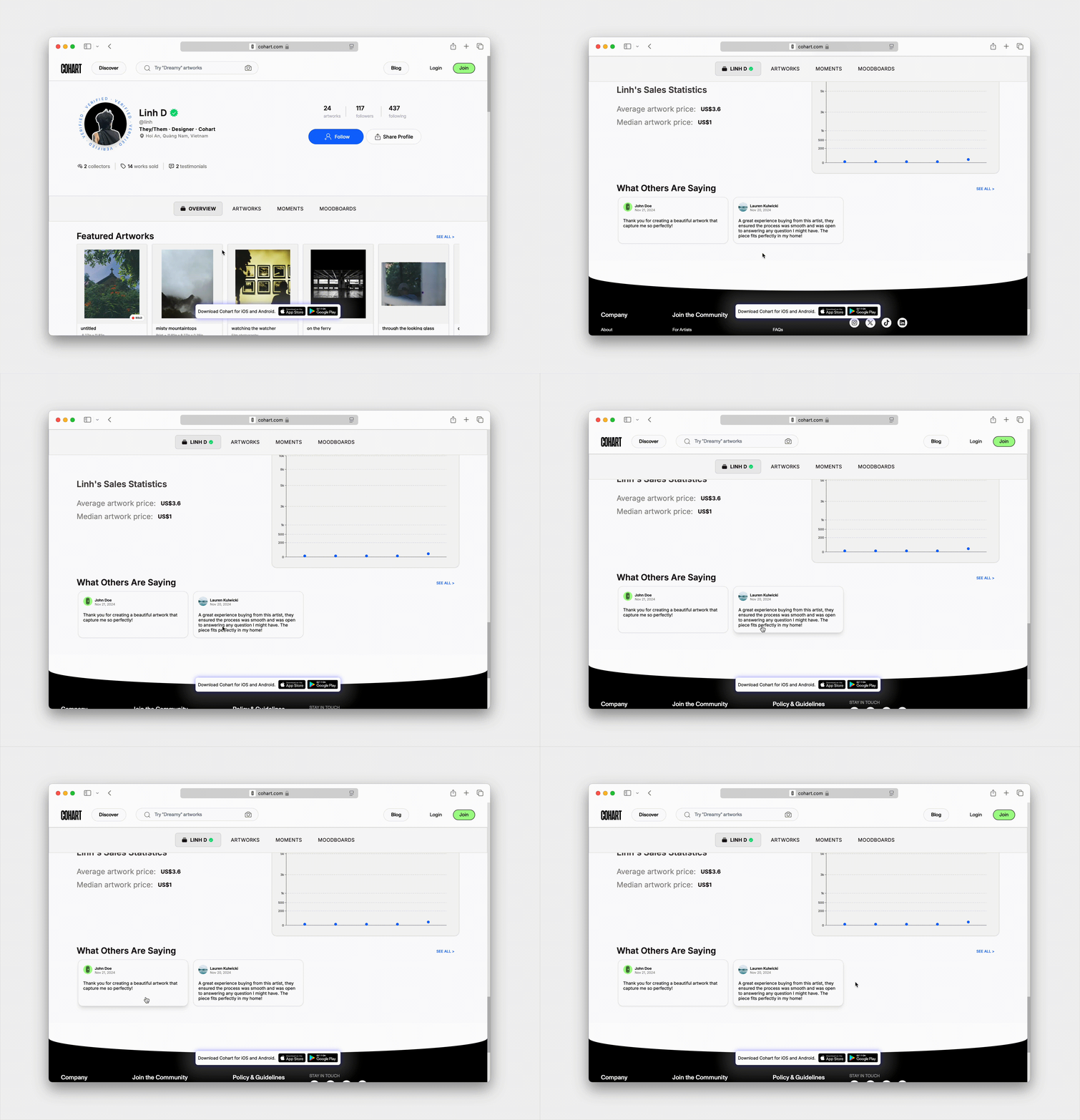
Once done, click the `Submit` button to see it appear in the Testimonials list. The testimonials will appear in the bottom “What Others Are Saying” section of your Profile. You can also feature testimonials in your Link-in-Bio—learn more [here](https://support.cohart.com/artist-mobile-storefront?hsLang=en).
### How to manage the testimonials list
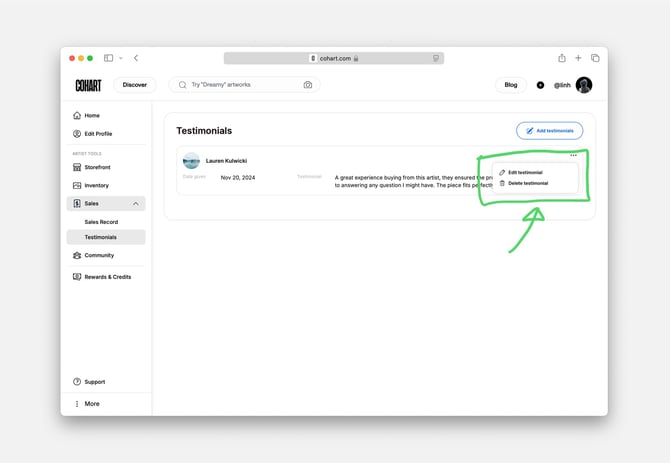
Once a testimonial has been added, you can find `edit` or `delete` option in the `···` button on the right side of each testimonial.
---
### **Here are some frequently asked questions about the testimonials features:**
#### Can my collector add a testimonial themselves?
Currently, your collector cannot add a testimonial and tag you as the seller.
#### Can I add a testimonial for a specific work?
No, but you can always include information about any work in the testimonial text for further context.
- [What is Cohart?](https://support.cohart.com/what-is-cohart?hsLang=en)
- [Cohart Onboarding Guide](https://support.cohart.com/cohart-onboarding-guide?hsLang=en)
- [Price Guidelines](https://support.cohart.com/price-guidelines?hsLang=en)
- [For Sellers](https://support.cohart.com/for-sellers?hsLang=en#main-content)
- [Manage my Account](https://support.cohart.com/for-sellers?hsLang=en#manage-my-account)
- [Personalize my Profile](https://support.cohart.com/for-sellers?hsLang=en#personalize-my-profile)
- [How to Use Link-in-Bio](https://support.cohart.com/for-sellers?hsLang=en#how-to-use-link-in-bio)
- [How to Use CRM Tools](https://support.cohart.com/for-sellers?hsLang=en#how-to-use-crm-tools)
- [How to Use Website](https://support.cohart.com/for-sellers?hsLang=en#how-to-use-website)
- [How to Use Private View](https://support.cohart.com/for-sellers?hsLang=en#how-to-use-private-view)
- [How to Use Promo Code](https://support.cohart.com/for-sellers?hsLang=en#how-to-use-promo-code)
- [How to Create Events](https://support.cohart.com/for-sellers?hsLang=en#how-to-create-events)
- [List & Sell on Cohart](https://support.cohart.com/for-sellers?hsLang=en#list-sell-on-cohart)
- [Sell Using Cohart Tools](https://support.cohart.com/for-sellers?hsLang=en#sell-using-cohart-tools)
- [For Buyers](https://support.cohart.com/for-buyers?hsLang=en#main-content)
- [Buy on Cohart](https://support.cohart.com/for-buyers?hsLang=en#buy-on-cohart)
- [Buyer Tools](https://support.cohart.com/for-buyers?hsLang=en#buyer-tools)
- [Setup & Support Services](https://support.cohart.com/setup-support-services?hsLang=en#main-content)
- [White Glove Services](https://support.cohart.com/setup-support-services?hsLang=en#white-glove-services)
- [Cohart Training](https://support.cohart.com/setup-support-services?hsLang=en#cohart-training)
- [Guidelines for the Cohart Community](https://support.cohart.com/guidelines-for-the-cohart-community?hsLang=en)
[](https://www.cohart.com/)
Cohart Support
Copyright © 2026, Cohart