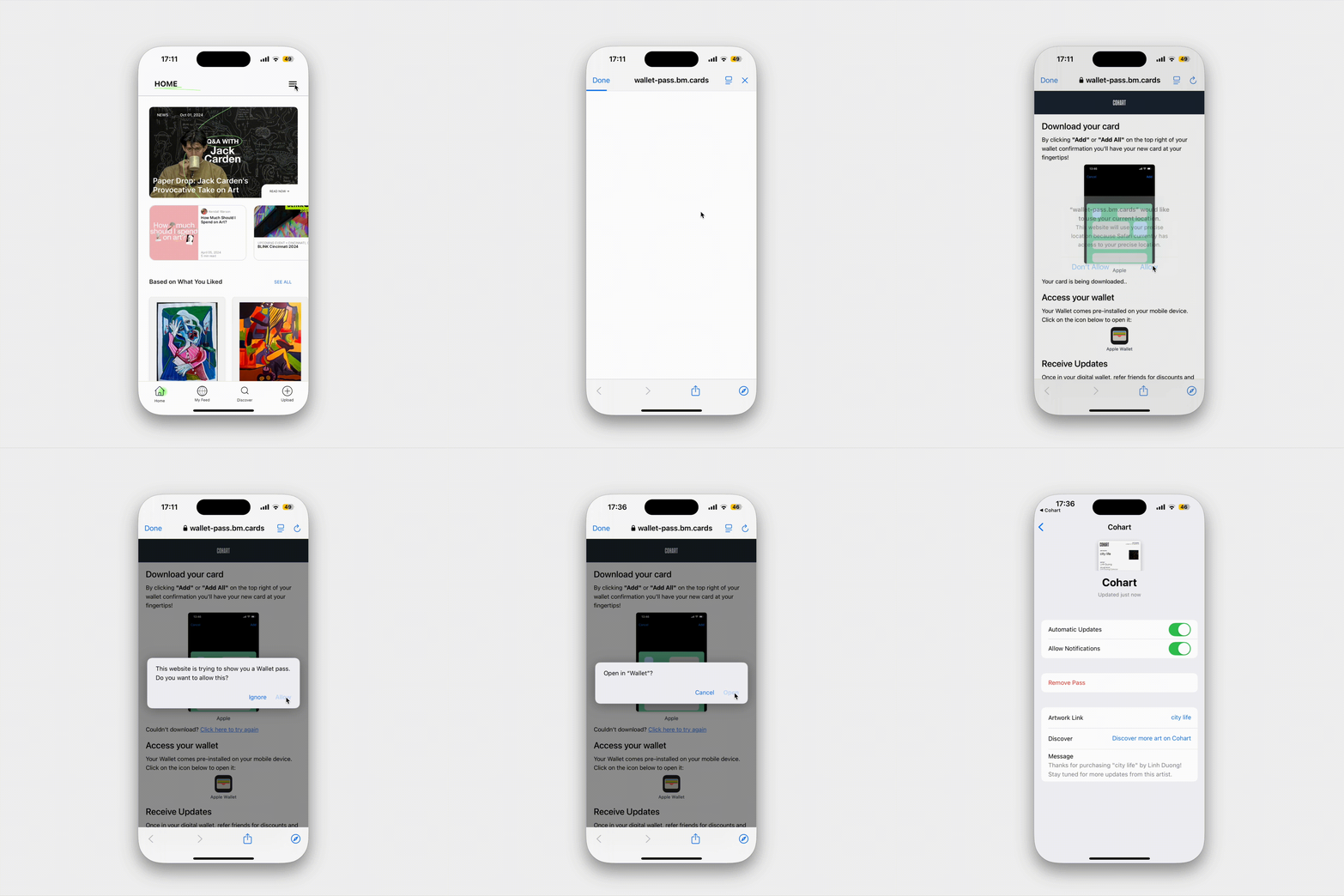
What is the Cohart Digital Certificate of Authenticity (DCoA)?
When an eligible artwork is purchased through a Cohart artwork listing, the buyer automatically receives a Digital Certificate of Authenticity (DCoA).
A Certificate of Authenticity (COA) is an important document in the art world. It helps document the details of a work, identify its creator, and provide a record of the purchase. A COA serves as an important part of an artwork's provenance and documentation, particularly for collectors who wish to maintain records of their collection over time.
Cohart's Digital Certificate of Authenticity is delivered electronically after purchase and can be accessed anytime from the buyer's account or mobile wallet for convenient record keeping.
Your Digital Certificate Includes
- Artwork title
- Artwork image
- Artist or gallery name
- Collector name
- A link and QR code to the artwork
Why is a Certificate of Authenticity Important?
A Certificate of Authenticity helps collectors maintain organized documentation of their collection and provides an additional record that accompanies the artwork.
Many collectors keep COAs because they can:
- Document important details about an artwork and its creator
- Support provenance and ownership records
- Help organize artwork documentation over time
- Accompany the artwork if it is ever gifted, loaned, or resold
- Provide confidence that the work was purchased through an identifiable artist or gallery on Cohart
Many artists and galleries also choose to include a signed physical Certificate of Authenticity with the artwork. The Cohart Digital Certificate complements this by providing a permanent digital record of the purchase.
If you would like to receive a phyiscal COA, Cohart offers tools for the seller to download and print a complementary document. Please ask the seller or Cohart if you would additionally like a physical copy.
How to view a DCoA and add it to your mobile wallet
Your new purchase can be found in the Purchases page and your DCoA link will be emailed to you in your Purchase Confirmation email.
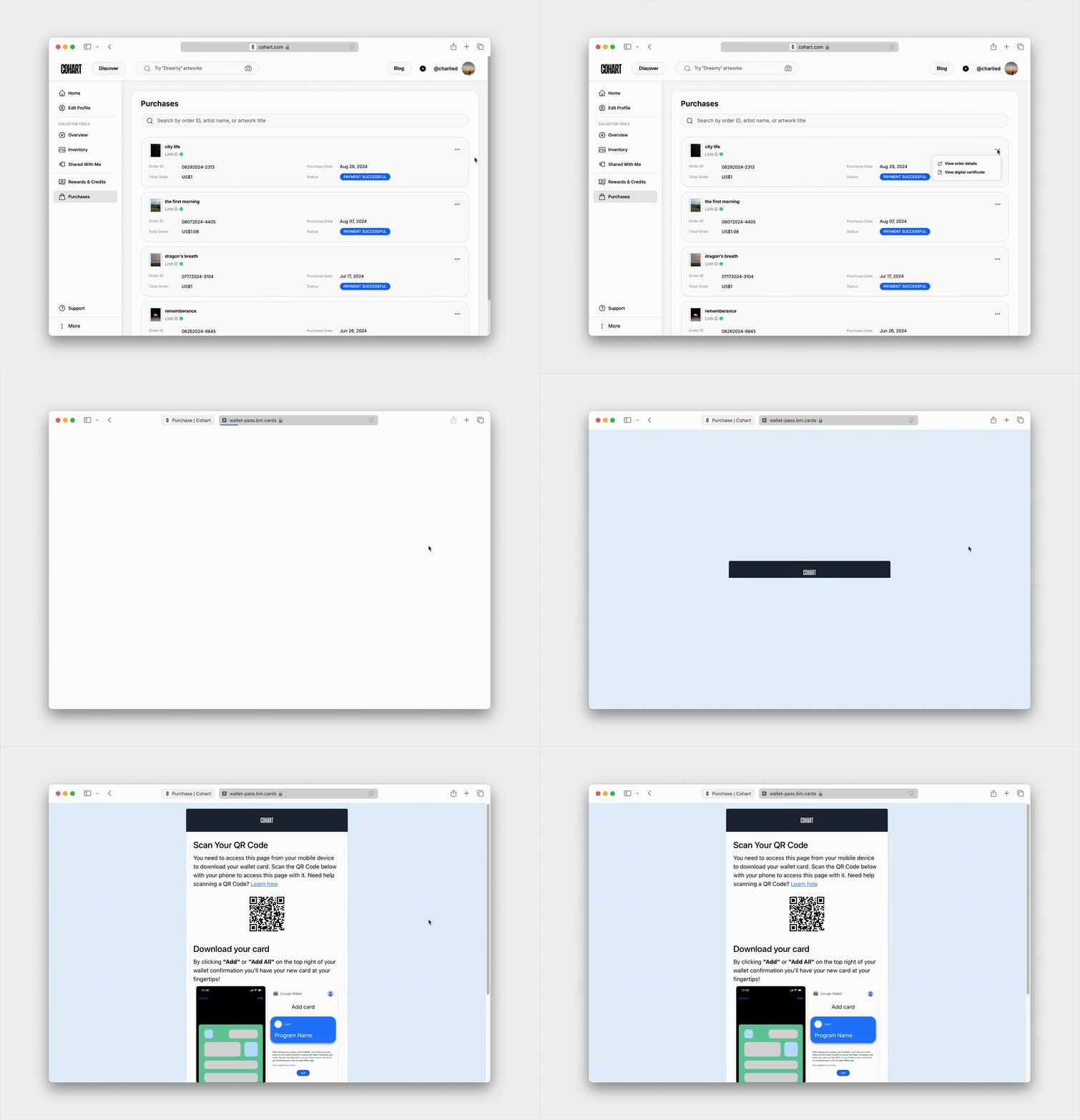
Click on the ··· button of the order and select View digital certificate option, a new page should open;
- If you are on a laptop or desktop, scan the QR on this page with your mobile device to open the page on mobile
- If you have opened the page in mobile app, the DCoA will automatically be added to your wallet
- Once added, the page might ask for your permission to open the Wallet app, or you can tap on the Wallet icon to open it.