
Watch this quick video tutorial or scroll down to read our step-by-step instructions on how to bulk upload your subscriber list, manage or collect subscribers, and how subscribing works on Cohart.
🎥 Video Tutorial: How to Collect Email Subscribers
What is the subscribe feature?
Subscribing allows you to connect with your audience and engage with potential buyers. As a seller, you to stay up to date with your latest news, whether it is a first introduction, a new artwork for sale, or an upcoming show. You also have the ability to group and segment your subscribers to better organize your email campaigns.
Learn more about Contacts list and Email Campaigns.
How to Bulk Upload the subscribers list
Here's the step-by-step guide if you want to bulk upload your subscribers list from another provider - or video tutorial here:
- Navigate to the Contact Management tab.
- Click Bulk Upload, then choose Download the CSV template to ensure proper formatting.
- Open the template file, fill in your subscriber list, and save it as a CSV file.
- Return to the Bulk Upload button, select Upload CSV, and choose your file
.png?width=670&height=409&name=bulk%20upload%20(3).png)
How to collect subscribers
Share your Link-in-Bio
- Navigate to the Link-in-Bio tab in your Dashboard.
- Choose your preferred sharing method:
Share,QR Code, orCopy Linkand share on your social profiles or share via other messaging platforms.
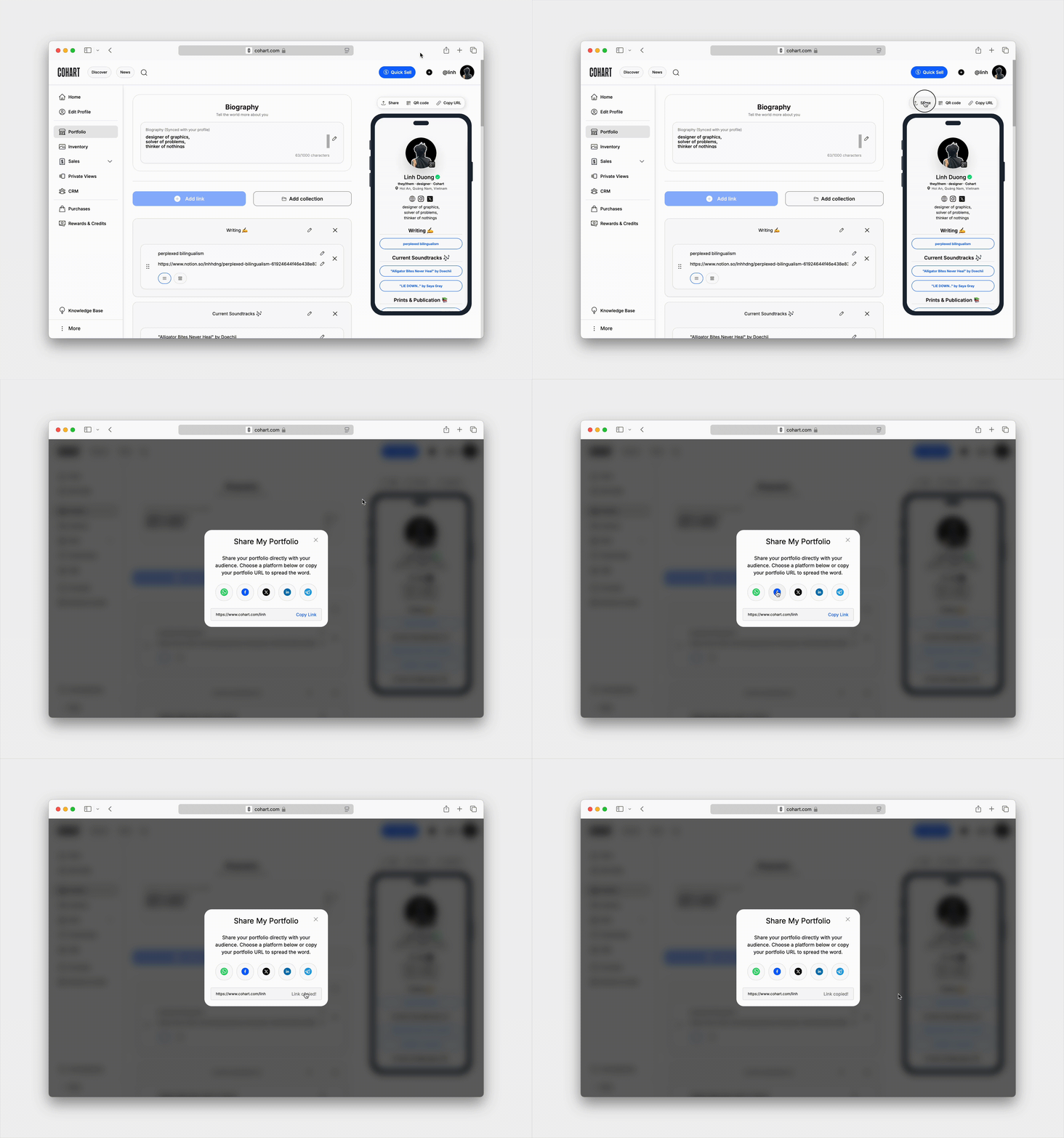
Learn how to create and optimize your Link-in-Bio.
Audience can subscribe from your Link-in-Bio
When an audience view your Link-in-Bio, they can enter their email address to subscribe to update.
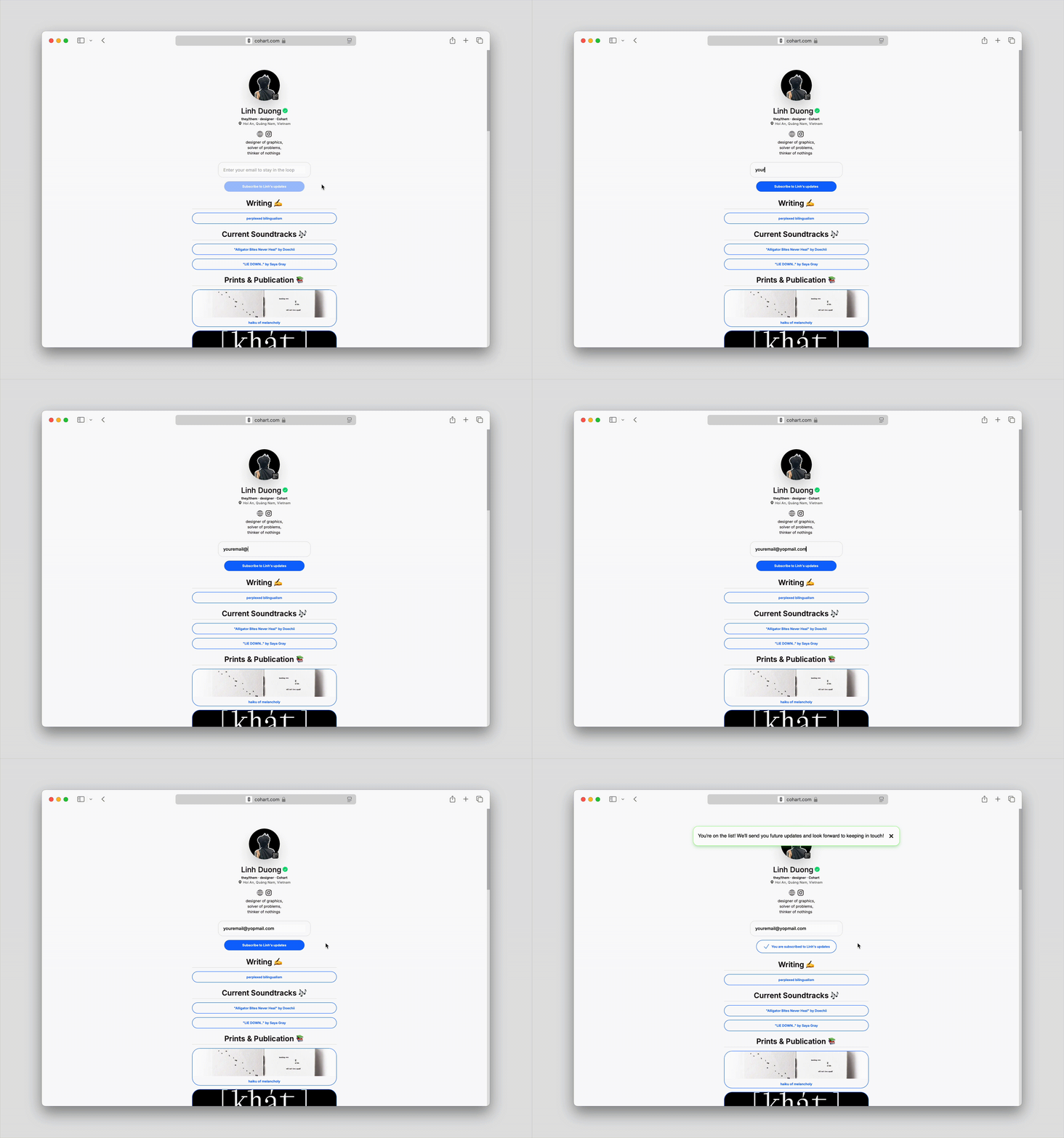
How to manage the subscribers list
When someone subscribes, their email address will appear in your Contacts list. You can manage this list, such as:
- Adding further information to a contact, ie. name, phone number, note, …
- Adding them to groups for specific updates
Head over to this article to learn more about Managing your Contacts list.
Here are some frequently asked questions about subscribing
Does someone need a Cohart account to subscribe?
No, anyone can subscribe to your updates whether they are a Cohart user or not just by their email. If the email is linked to a Cohart account, they record in your Contacts list will not be duplicated.
Does it cost anything to subscribe to my updates?
No, it is free to subscribe to your updates.
Can someone unsubscribe to my updates?
Yes, a subscriber can unsubscribe from one of your emails sent to them. They cannot unsubscribe from your contact management space but you can remove them any time.